

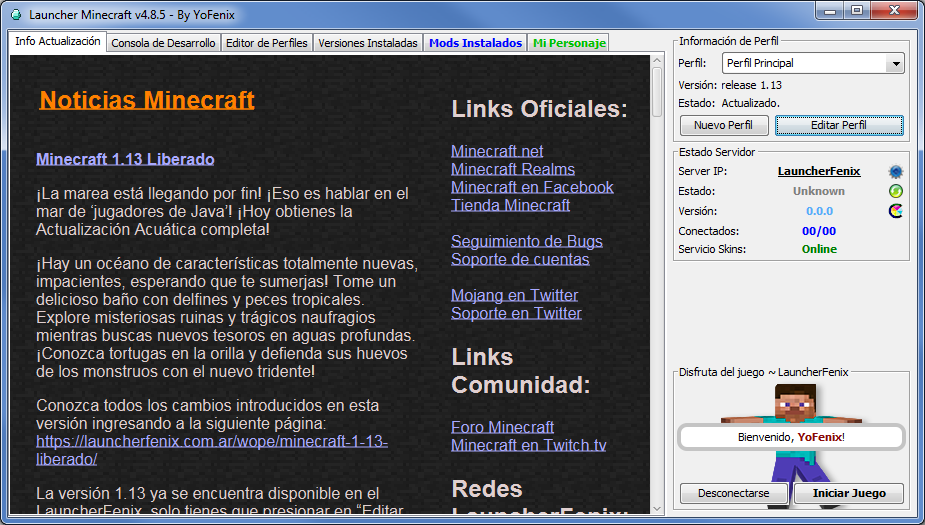
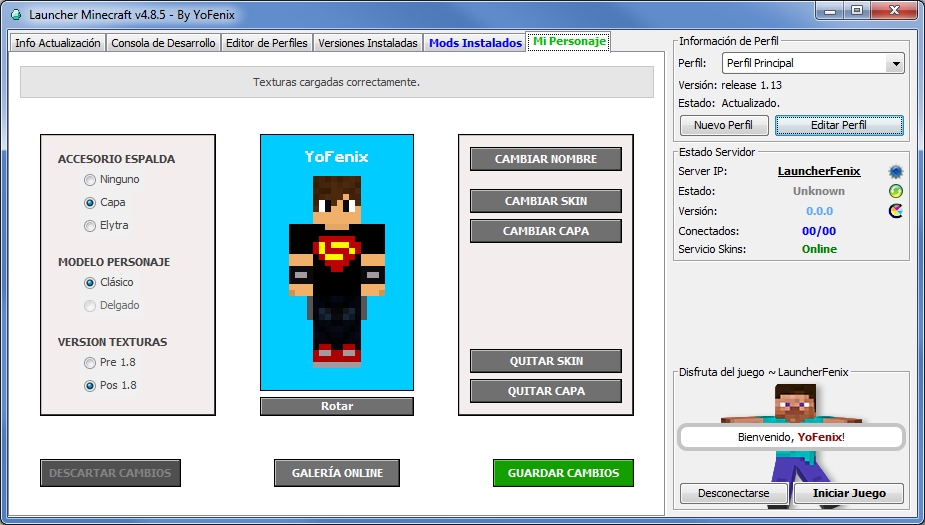
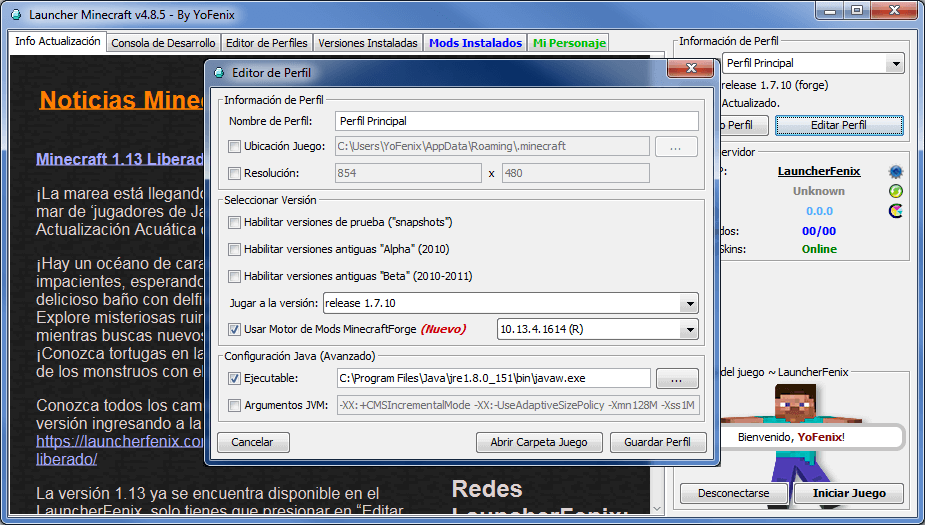
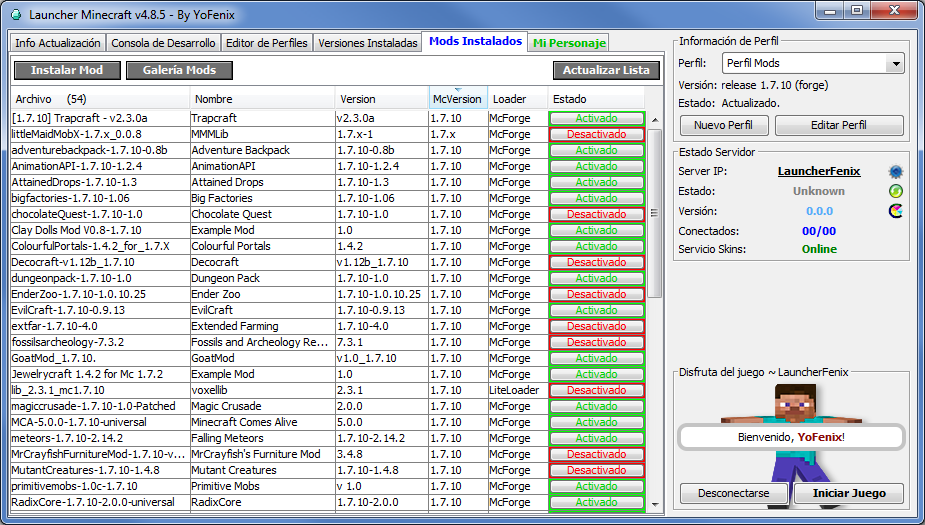
LauncherFenix es un launcher gratuito para Minecraft también conocido como «launcher pirata». Se trata de un gran sustituto del launcher oficial. No solo permite acceso Premium al juego, sino que también, ofrece acceso No-Premium, lo que te permitirá jugar a Minecraft gratis. Además, incluye muchas herramientas que te facilitarán tareas como la instalación de mods, cambio de texturas (skin, capa, elytra), entre otras opciones.
Para poder iniciar el juego, lo único que necesitas es este launcher, que podrás descargar desde la sección Descargas, y debes asegurarte de poseer, preferiblemente, la versión 1.8 de Java, la cual podrás descargar desde su página oficial www.java.com.
El LauncherFenix posee tres tipos de acceso: Premium, LauncherFenix y No-Premium. El tipo «Premium» es para aquellos que compraron el juego o poseen una copia original. El tipo «LauncherFenix» les permitirá iniciar sesión en el launcher con su cuenta de esta página, lo que les brindará acceso a opciones como el cambio de skin/capa desde el mismo launcher. Y por último, el tipo «No-Premium» que no requiere de ninguna cuenta, solo ingresas el nombre con el que deseas jugar y ya podrás ingresar al juego. Los tipos de cuentas «LauncherFenix» y «No-Premium», te permitirán jugar a Minecraft gratis.
Este launcher está destinado a todas las personas que desean jugar Minecraft, tanto premiums como no-premiums, y busca facilitar tareas comunes mediante herramientas que no posee el launcher oficial. El launcher se encuentra en continua actualización por lo que se irán agregando nuevas funciones y herramientas según se vean necesarias, al mismo tiempo que se solucionarán los bugs y errores que se presenten. Si realmente te gusta el juego y tienes la posibilidad de comprarlo, ¡hazlo! puedes adquirirlo desde la página web oficial de Minecraft; adquiriendo una cuenta premium podrás acceder a los servidores exclusivos, y recuerda, siendo usuario premium también podrás seguir utilizando este launcher y disfrutando de sus herramientas gratuitas!
¡No esperes más, descárgalo y compártelo con tus amigos!
depende
de cual te guste mas por que algunos diran t launcher y otros launcher fenix nadie te dara un voto exacto PD:el t launcher es la competencia de launcher fenix haci que no te recomiendo preguntar eso y otra PD:yo prefiero launcher fenix es el que siempre use y usare
ok gracias podemos jugar
si tienes discord dimelo porfa no tengo amigos
FenixSwar.aternos.me
1.15.2
entren los esperamos
si se preguntan hay plugins bueno si hay
Hola YoFenix Disculpa pero tengo una duda, ahora me sale este error:
—- UNA VEZ INICIADO EL JUEGO PUEDES CERRAR ESTA VENTANA —-
—- UNA VEZ INICIADO EL JUEGO PUEDES CERRAR ESTA VENTANA —-
Buscando archivos nativos antiguos para limpiar…
Cliente> [14:28:34] [Client thread/INFO]: Setting user: DarkWolf_YT03
Cliente> [14:28:37] [Client thread/WARN]: Skipping bad option: lastServer:
Cliente> [14:28:37] [Client thread/INFO]: LWJGL Version: 2.9.4
Cliente> [14:28:38] [Client thread/INFO]: Reloading ResourceManager: Default
Cliente> —- Minecraft Crash Report —-
Cliente> // Who set us up the TNT?
Cliente>
Cliente> Time: 4/23/20 2:28 PM
Cliente> Description: Initializing game
Cliente>
Cliente> java.lang.IllegalStateException: Function is not supported
Cliente> at org.lwjgl.BufferChecks.checkFunctionAddress(BufferChecks.java:58)
Cliente> at org.lwjgl.opengl.GL13.glClientActiveTexture(GL13.java:128)
Cliente> at cii.l(SourceFile:757)
Cliente> at bul.a(SourceFile:34)
Cliente> at bve.b(SourceFile:22)
Cliente> at bib.a(SourceFile:869)
Cliente> at bib.aq(SourceFile:479)
Cliente> at bib.a(SourceFile:404)
Cliente> at net.minecraft.client.main.Main.main(SourceFile:123)
Cliente> at sun.reflect.NativeMethodAccessorImpl.invoke0(Native Method)
Cliente> at sun.reflect.NativeMethodAccessorImpl.invoke(Unknown Source)
Cliente> at sun.reflect.DelegatingMethodAccessorImpl.invoke(Unknown Source)
Cliente> at java.lang.reflect.Method.invoke(Unknown Source)
Cliente> at net.minecraft.a.m.main(Unknown Source)
Cliente>
Cliente>
Cliente> A detailed walkthrough of the error, its code path and all known details is as follows:
Cliente> —————————————————————————————
Cliente>
Cliente> — Head —
Cliente> Thread: Client thread
Cliente> Stacktrace:
Cliente> at org.lwjgl.BufferChecks.checkFunctionAddress(BufferChecks.java:58)
Cliente> at org.lwjgl.opengl.GL13.glClientActiveTexture(GL13.java:128)
Cliente> at cii.l(SourceFile:757)
Cliente> at bul.a(SourceFile:34)
Cliente> at bve.b(SourceFile:22)
Cliente> at bib.a(SourceFile:869)
Cliente> at bib.aq(SourceFile:479)
Cliente>
Cliente> — Initialization —
Cliente> Details:
Cliente> Stacktrace:
Cliente> at bib.a(SourceFile:404)
Cliente> at net.minecraft.client.main.Main.main(SourceFile:123)
Cliente> at sun.reflect.NativeMethodAccessorImpl.invoke0(Native Method)
Cliente> at sun.reflect.NativeMethodAccessorImpl.invoke(Unknown Source)
Cliente> at sun.reflect.DelegatingMethodAccessorImpl.invoke(Unknown Source)
Cliente> at java.lang.reflect.Method.invoke(Unknown Source)
Cliente> at net.minecraft.a.m.main(Unknown Source)
Cliente>
Cliente> — System Details —
Cliente> Details:
Cliente> Minecraft Version: 1.12.2
Cliente> Operating System: Windows 8.1 (x86) version 6.3
Cliente> Java Version: 1.8.0_51, Oracle Corporation
Cliente> Java VM Version: Java HotSpot(TM) Client VM (mixed mode), Oracle Corporation
Cliente> Memory: 61801168 bytes (58 MB) / 134217728 bytes (128 MB) up to 536870912 bytes (512 MB)
Cliente> JVM Flags: 9 total; -Xmx512M -XX:+UnlockExperimentalVMOptions -XX:+UseG1GC -XX:G1NewSizePercent=20 -XX:G1ReservePercent=20 -XX:MaxGCPauseMillis=50 -XX:G1HeapRegionSize=32M -XX:+IgnoreUnrecognizedVMOptions -XX:HeapDumpPath=MojangTricksIntelDriversForPerformance_javaw.exe_minecraft.exe.heapdump
Cliente> IntCache: cache: 0, tcache: 0, allocated: 0, tallocated: 0
Cliente> Launched Version: 1.12.2
Cliente> LWJGL: 2.9.4
Cliente> OpenGL: GDI Generic GL version 1.1.0, Microsoft Corporation
Cliente> GL Caps: Using GL 1.3 multitexturing.
Cliente> Using GL 1.3 texture combiners.
Cliente> Not using framebuffer objects because OpenGL 1.4 is not supported, EXT_blend_func_separate is not supported, OpenGL 3.0 is not supported, ARB_framebuffer_object is not supported, and EXT_framebuffer_object is not supported.
Cliente> Shaders are not available because OpenGL 2.1 is not supported, ARB_shader_objects is not supported, ARB_vertex_shader is not supported, and ARB_fragment_shader is not supported.
Cliente> VBOs are not available because
Cliente> Using VBOs: Yes
Cliente> Is Modded: Probably not. Jar signature remains and client brand is untouched.
Cliente> Type: Client (map_client.txt)
Cliente> Resource Packs:
Cliente> Current Language: English (US)
Cliente> Profiler Position: N/A (disabled)
Cliente> CPU: 2x Pentium(R) Dual-Core CPU E5300 @ 2.60GHz
Cliente> #@!@# Game crashed! Crash report saved to: #@!@# C:\Users\ANA DE MI VIDA\AppData\Roaming\.minecraft\crash-reports\crash-2020-04-23_14.28.38-client.txt
El juego termino de forma incorrecta (exit code -1)
Y ayer funcionaba bien no se porque sera, ya actualize mis drivers de la tarjeta de video y el java
BloxGamin.aternos.me 1.14.4 survival
🧡💙❤IP 🧡💙❤
IP CREATIVO minecraft.margaritabella.com:28215
IP SURVIVAL minecraft.georghe.com:28215
Nunca cierra abierto las 24 hOras 7 dias survival
1.15.2
Discord
https://discord.gg/9AweTpT
Nuevo Servidor 🛑TitansMC🛑 | IP: play1TitansMC.aternos.me 1.12.2
Modalidades: Parkour ⚔ PvP y SkyPVP 🌏 Survival
🧡💙❤IP 🧡💙❤
IP CREATIVO minecraft.margaritabella.com:28215
IP SURVIVAL minecraft.georghe.com:28215
Nunca cierra abierto las 24 hOras 7 dias
1.15.2
Discord
https://discord.gg/9AweTpT