


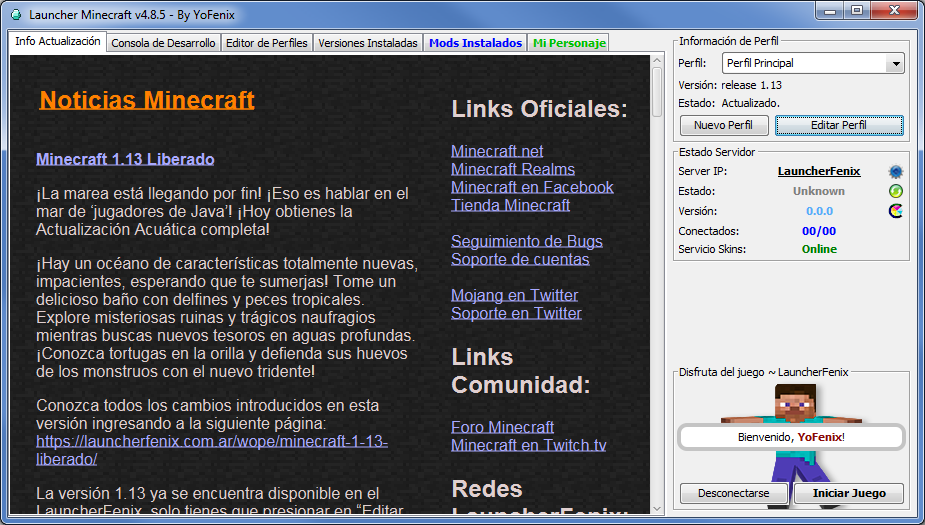
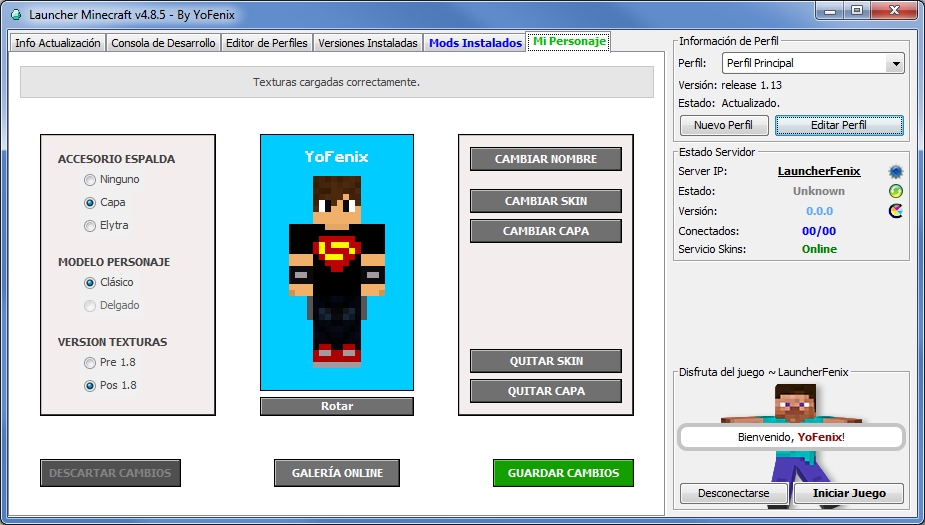
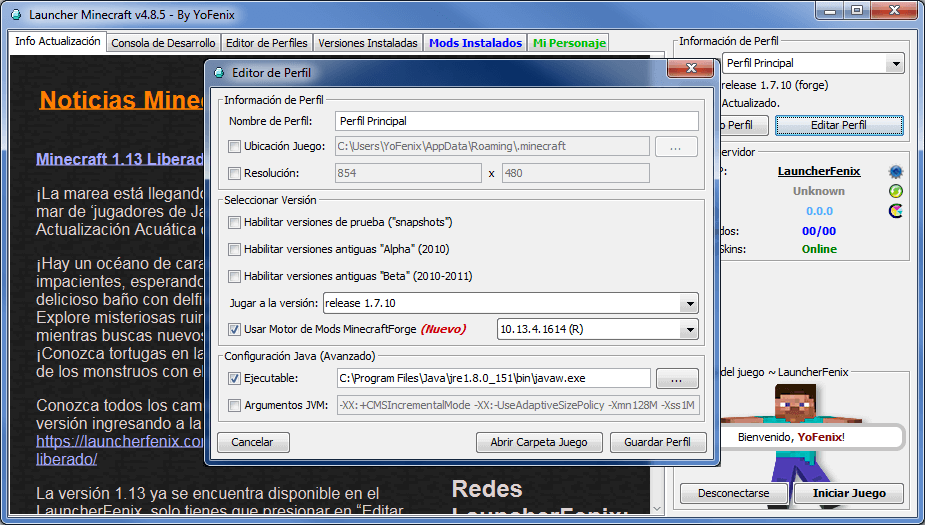
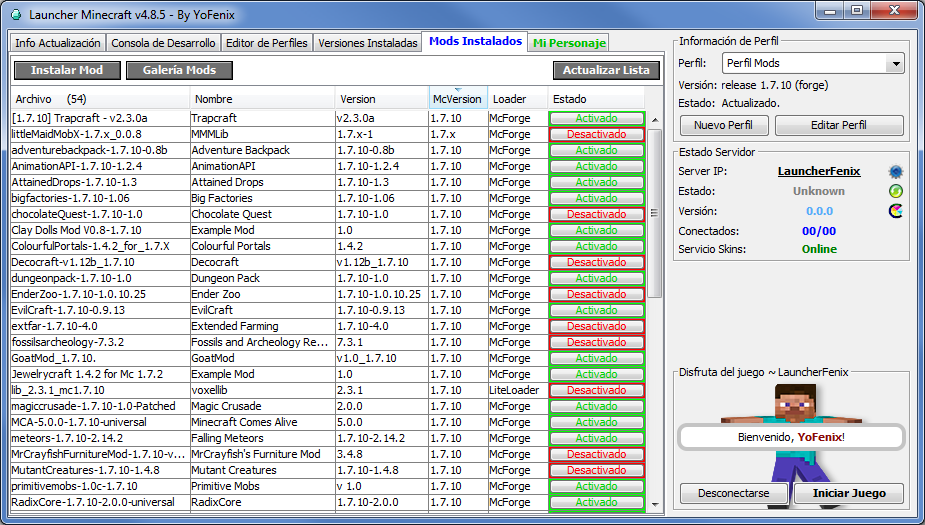
LauncherFenix es un launcher gratuito para Minecraft también conocido como «launcher pirata». Se trata de un gran sustituto del launcher oficial. No solo permite acceso Premium al juego, sino que también, ofrece acceso No-Premium, lo que te permitirá jugar a Minecraft gratis. Además, incluye muchas herramientas que te facilitarán tareas como la instalación de mods, cambio de texturas (skin, capa, elytra), entre otras opciones.
Para poder iniciar el juego, lo único que necesitas es este launcher, que podrás descargar desde la sección Descargas, y debes asegurarte de poseer, preferiblemente, la versión 1.8 de Java, la cual podrás descargar desde su página oficial www.java.com.
El LauncherFenix posee tres tipos de acceso: Premium, LauncherFenix y No-Premium. El tipo «Premium» es para aquellos que compraron el juego o poseen una copia original. El tipo «LauncherFenix» les permitirá iniciar sesión en el launcher con su cuenta de esta página, lo que les brindará acceso a opciones como el cambio de skin/capa desde el mismo launcher. Y por último, el tipo «No-Premium» que no requiere de ninguna cuenta, solo ingresas el nombre con el que deseas jugar y ya podrás ingresar al juego. Los tipos de cuentas «LauncherFenix» y «No-Premium», te permitirán jugar a Minecraft gratis.
Este launcher está destinado a todas las personas que desean jugar Minecraft, tanto premiums como no-premiums, y busca facilitar tareas comunes mediante herramientas que no posee el launcher oficial. El launcher se encuentra en continua actualización por lo que se irán agregando nuevas funciones y herramientas según se vean necesarias, al mismo tiempo que se solucionarán los bugs y errores que se presenten. Si realmente te gusta el juego y tienes la posibilidad de comprarlo, ¡hazlo! puedes adquirirlo desde la página web oficial de Minecraft; adquiriendo una cuenta premium podrás acceder a los servidores exclusivos, y recuerda, siendo usuario premium también podrás seguir utilizando este launcher y disfrutando de sus herramientas gratuitas!
¡No esperes más, descárgalo y compártelo con tus amigos!
please alguien?
ip: Linux_LN.aternos.me
^ya esta abierto entren 😀
buenos días un server activo para la 1.15.2
gabmar25.aternos.me ES MI SERVIDOR ESTA ABIERTO ENTREN
ESTOY MUY SOLA
Server 1.14.4 con plugins
maicncra358.aternos.me
entren al server OtakusOlorosos.aternos.me se le agregaran plugins mas tarde
server anarquico 1.14.4 con /sethome y chestshop
svgalaxy.aternos.me
ayuda con este problema en minecraft:—- Minecraft Crash Report —-
// Don’t be sad, have a hug! <3
Time: 22/02/20 08:24 PM
Description: Registering texture
net.minecraft.client.renderer.StitcherException: Unable to fit: missingno – size: 16×16 – Maybe try a lowerresolution resourcepack?
at net.minecraft.client.renderer.texture.Stitcher.func_94305_f(Stitcher.java:76)
at net.minecraft.client.renderer.texture.TextureMap.func_110571_b(TextureMap.java:260)
at net.minecraft.client.renderer.texture.TextureMap.func_110551_a(TextureMap.java:97)
at net.minecraft.client.renderer.texture.TextureManager.func_110579_a(TextureManager.java:89)
at net.minecraft.client.renderer.texture.TextureManager.func_110580_a(TextureManager.java:71)
at net.minecraft.client.renderer.texture.TextureManager.func_130088_a(TextureManager.java:58)
at net.minecraft.client.Minecraft.func_71384_a(Minecraft.java:545)
at net.minecraft.client.Minecraft.func_99999_d(Minecraft.java:878)
at net.minecraft.client.main.Main.main(SourceFile:148)
at sun.reflect.NativeMethodAccessorImpl.invoke0(Native Method)
at sun.reflect.NativeMethodAccessorImpl.invoke(Unknown Source)
at sun.reflect.DelegatingMethodAccessorImpl.invoke(Unknown Source)
at java.lang.reflect.Method.invoke(Unknown Source)
at net.minecraft.launchwrapper.Launch.launch(Launch.java:135)
at net.minecraft.launchwrapper.Launch.main(Launch.java:28)
A detailed walkthrough of the error, its code path and all known details is as follows:
—————————————————————————————
— Head —
Stacktrace:
at net.minecraft.client.renderer.texture.Stitcher.func_94305_f(Stitcher.java:76)
at net.minecraft.client.renderer.texture.TextureMap.func_110571_b(TextureMap.java:260)
at net.minecraft.client.renderer.texture.TextureMap.func_110551_a(TextureMap.java:97)
— Resource location being registered —
Details:
Resource location: minecraft:textures/atlas/blocks.png
Texture object class: net.minecraft.client.renderer.texture.TextureMap
Stacktrace:
at net.minecraft.client.renderer.texture.TextureManager.func_110579_a(TextureManager.java:89)
at net.minecraft.client.renderer.texture.TextureManager.func_110580_a(TextureManager.java:71)
at net.minecraft.client.renderer.texture.TextureManager.func_130088_a(TextureManager.java:58)
at net.minecraft.client.Minecraft.func_71384_a(Minecraft.java:545)
— Initialization —
Details:
Stacktrace:
at net.minecraft.client.Minecraft.func_99999_d(Minecraft.java:878)
at net.minecraft.client.main.Main.main(SourceFile:148)
at sun.reflect.NativeMethodAccessorImpl.invoke0(Native Method)
at sun.reflect.NativeMethodAccessorImpl.invoke(Unknown Source)
at sun.reflect.DelegatingMethodAccessorImpl.invoke(Unknown Source)
at java.lang.reflect.Method.invoke(Unknown Source)
at net.minecraft.launchwrapper.Launch.launch(Launch.java:135)
at net.minecraft.launchwrapper.Launch.main(Launch.java:28)
— System Details —
Details:
Minecraft Version: 1.7.10
Operating System: Windows Vista (x86) version 6.0
Java Version: 1.8.0_45, Oracle Corporation
Java VM Version: Java HotSpot(TM) Client VM (mixed mode), Oracle Corporation
Memory: 156337488 bytes (149 MB) / 256692224 bytes (244 MB) up to 1060372480 bytes (1011 MB)
JVM Flags: 3 total; -Xmn128M -Xmx1024M -XX:+UseConcMarkSweepGC
AABB Pool Size: 0 (0 bytes; 0 MB) allocated, 0 (0 bytes; 0 MB) used
IntCache: cache: 0, tcache: 0, allocated: 0, tallocated: 0
FML: MCP v9.05 FML v7.10.99.99 Minecraft Forge 10.13.4.1614 6 mods loaded, 6 mods active
States: 'U' = Unloaded 'L' = Loaded 'C' = Constructed 'H' = Pre-initialized 'I' = Initialized 'J' = Post-initialized 'A' = Available 'D' = Disabled 'E' = Errored
UCH mcp{9.05} [Minecraft Coder Pack] (minecraft.jar)
UCH FML{7.10.99.99} [Forge Mod Loader] (forge-1.7.10-10.13.4.1614-1.7.10.jar)
UCH Forge{10.13.4.1614} [Minecraft Forge] (forge-1.7.10-10.13.4.1614-1.7.10.jar)
UCH sapmanpack{2.7.2} [SanAndreasPs Manager Pack CORE edition] (SAPManPack-1.7.10-2.7.2.jar)
UCH tlauncher_custom_cape_skin{1.0} [TLSkinCape] (tlskincape_1.7.10-1.4.jar)
UCH claysoldiers{2.0.0-beta.2} [Clay Soldiers Mod] (ClaySoldiersMod-1.7.10-2.0.0-beta.2.jar)
GL info: ' Vendor: 'Intel' Version: '1.5.0 – Build 7.14.10.1409' Renderer: 'Intel 965/963 Graphics Media Accelerator'
Launched Version: Forge 1.7.10
LWJGL: 2.9.1
OpenGL: Intel 965/963 Graphics Media Accelerator GL version 1.5.0 – Build 7.14.10.1409, Intel
GL Caps: Using GL 1.3 multitexturing.
Not using framebuffer objects because OpenGL 1.4 is not supported, EXT_blend_func_separate is supported, OpenGL 3.0 is not supported, ARB_framebuffer_object is not supported, and EXT_framebuffer_object is not supported.
Anisotropic filtering is supported and maximum anisotropy is 2.
Shaders are not available because OpenGL 2.1 is not supported, ARB_shader_objects is not supported, ARB_vertex_shader is not supported, and ARB_fragment_shader is not supported.
Is Modded: Definitely; Client brand changed to 'fml,forge'
Type: Client (map_client.txt)
Resource Packs: []
Current Language: Español (España)
Profiler Position: N/A (disabled)
Vec3 Pool Size: 0 (0 bytes; 0 MB) allocated, 0 (0 bytes; 0 MB) used
Anisotropic Filtering: Off (1)
callate puto spammer
El problema es q algun texture pack esta roto y/o tienes un sistema operativo algo viejo
hola soy nuevo es normal q incicie el juego y me este cargando porfabor gracias
pasen server
OtakusOlorosos.aternos.me servidor para la 1.15.2