

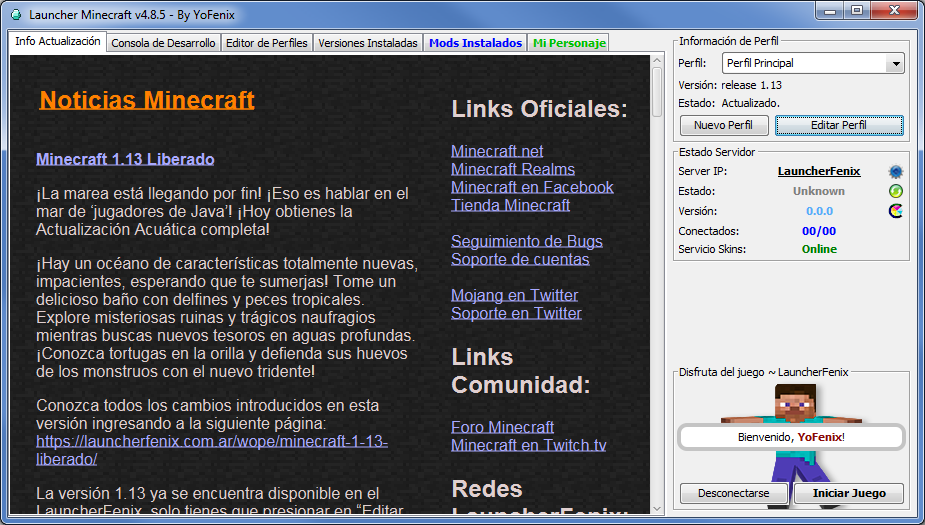
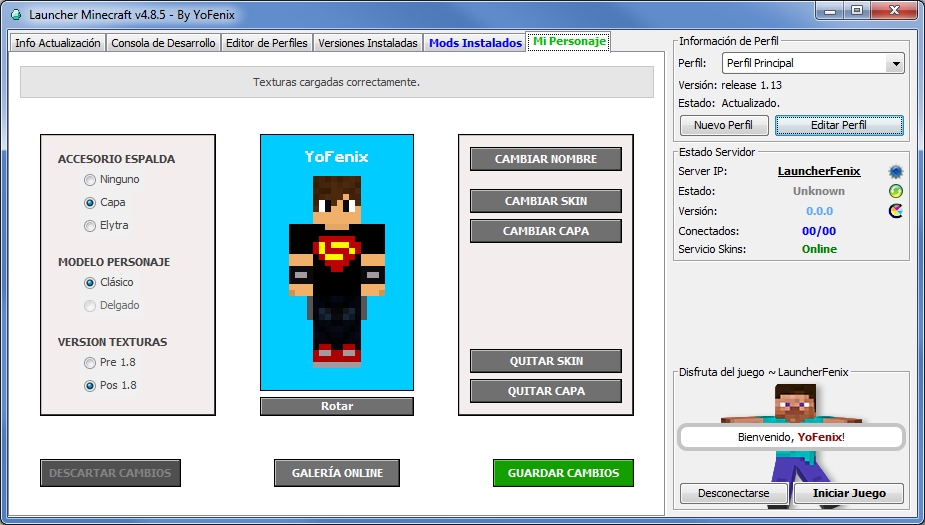
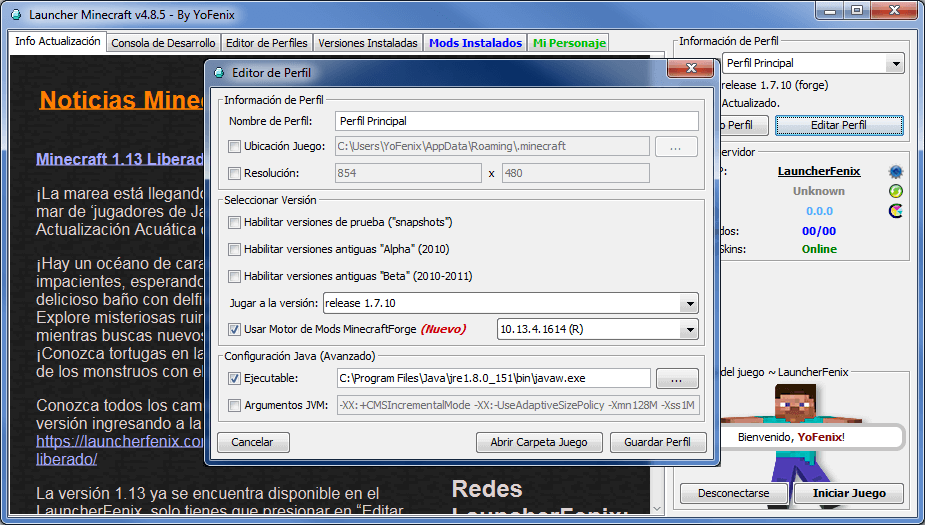
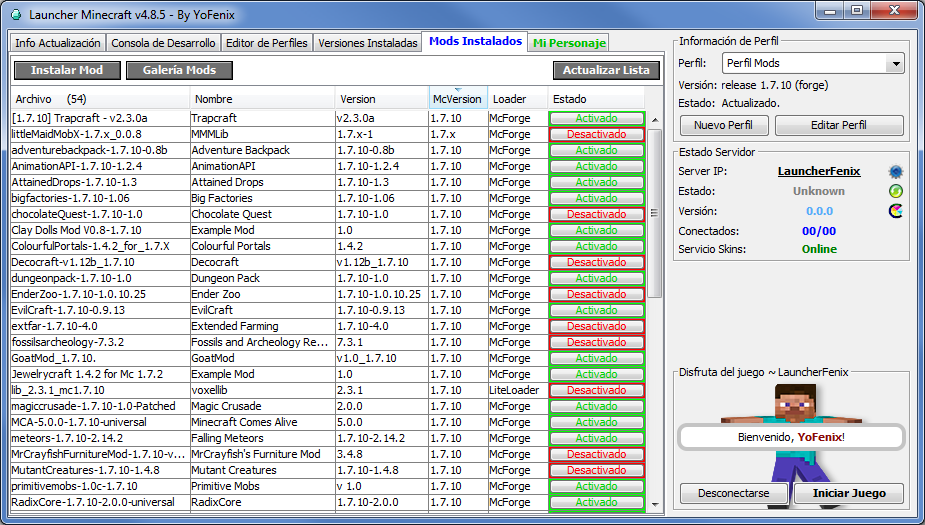
LauncherFenix es un launcher gratuito para Minecraft también conocido como «launcher pirata». Se trata de un gran sustituto del launcher oficial. No solo permite acceso Premium al juego, sino que también, ofrece acceso No-Premium, lo que te permitirá jugar a Minecraft gratis. Además, incluye muchas herramientas que te facilitarán tareas como la instalación de mods, cambio de texturas (skin, capa, elytra), entre otras opciones.
Para poder iniciar el juego, lo único que necesitas es este launcher, que podrás descargar desde la sección Descargas, y debes asegurarte de poseer, preferiblemente, la versión 1.8 de Java, la cual podrás descargar desde su página oficial www.java.com.
El LauncherFenix posee tres tipos de acceso: Premium, LauncherFenix y No-Premium. El tipo «Premium» es para aquellos que compraron el juego o poseen una copia original. El tipo «LauncherFenix» les permitirá iniciar sesión en el launcher con su cuenta de esta página, lo que les brindará acceso a opciones como el cambio de skin/capa desde el mismo launcher. Y por último, el tipo «No-Premium» que no requiere de ninguna cuenta, solo ingresas el nombre con el que deseas jugar y ya podrás ingresar al juego. Los tipos de cuentas «LauncherFenix» y «No-Premium», te permitirán jugar a Minecraft gratis.
Este launcher está destinado a todas las personas que desean jugar Minecraft, tanto premiums como no-premiums, y busca facilitar tareas comunes mediante herramientas que no posee el launcher oficial. El launcher se encuentra en continua actualización por lo que se irán agregando nuevas funciones y herramientas según se vean necesarias, al mismo tiempo que se solucionarán los bugs y errores que se presenten. Si realmente te gusta el juego y tienes la posibilidad de comprarlo, ¡hazlo! puedes adquirirlo desde la página web oficial de Minecraft; adquiriendo una cuenta premium podrás acceder a los servidores exclusivos, y recuerda, siendo usuario premium también podrás seguir utilizando este launcher y disfrutando de sus herramientas gratuitas!
¡No esperes más, descárgalo y compártelo con tus amigos!
la ip?
ai ta
entren a mi server 24/7 version 1.15.2 ip miguelito503.aternos.me
nooooo hacker de mrd pasa virus
Eres el puto hacker de mierda que me hackeo solo te dire que te follen imbecil
Como te hackeo?
Chicos estoi habriendo mi server de ultima generacion Tiene scoreboat y todo :V
La ip y version la paso al rato
wut mejor no pso la ip de mi server le puto miguelito lo va a hackear
enten ami server 1.14.4 ScorpionsX2.aternos.me
Hola a todos ¿buscan un servidor donde todos se respeten y no se hagan bromas de mal gusto etc?
si es así entren a Rowuo.aternos.me para la 1.14.4 con plugins mi discord es Rowuo#5279, escríbanme si tienen dudas de alguna cosilla
.
no entren el server esta lleno de lag
Es una cagada tu server
como tu! retrasado
Jaja y me lo dice un furry que buen chiste ese
lo que dices es mentira, puto
Ayuda me aparece este error
Cliente> —- Minecraft Crash Report —-
Cliente> // Uh… Did I do that?
Cliente>
Cliente> Time: 23/02/20 08:43 PM
Cliente> Description: Initializing game
Cliente>
Cliente> java.lang.IllegalStateException: GLFW error 65542: WGL: The driver does not appear to support OpenGL
Cliente> at cuo.b(SourceFile:199)
Cliente> at cuo$$Lambda$1433/1704990977.invoke(Unknown Source)
Cliente> at org.lwjgl.glfw.GLFWErrorCallbackI.callback(GLFWErrorCallbackI.java:36)
Cliente> at org.lwjgl.system.JNI.invokePPPP(Native Method)
Cliente> at org.lwjgl.glfw.GLFW.nglfwCreateWindow(GLFW.java:1714)
Cliente> at org.lwjgl.glfw.GLFW.glfwCreateWindow(GLFW.java:1897)
Cliente> at cuo.(SourceFile:81)
Cliente> at dnr.a(SourceFile:19)
Cliente> at cyc.au(SourceFile:464)
Cliente> at cyc.b(SourceFile:394)
Cliente> at net.minecraft.client.main.Main.main(SourceFile:155)
Cliente> at sun.reflect.NativeMethodAccessorImpl.invoke0(Native Method)
Cliente> at sun.reflect.NativeMethodAccessorImpl.invoke(Unknown Source)
Cliente> at sun.reflect.DelegatingMethodAccessorImpl.invoke(Unknown Source)
Cliente> at java.lang.reflect.Method.invoke(Unknown Source)
Cliente> at net.minecraft.a.m.main(Unknown Source)
Cliente>
Cliente>
Cliente> A detailed walkthrough of the error, its code path and all known details is as follows:
Cliente> —————————————————————————————
Cliente>
Cliente> — Head —
Cliente> Thread: Client thread
Cliente> Stacktrace:
Cliente> at cuo.b(SourceFile:199)
Cliente> at cuo$$Lambda$1433/1704990977.invoke(Unknown Source)
Cliente> at org.lwjgl.glfw.GLFWErrorCallbackI.callback(GLFWErrorCallbackI.java:36)
Cliente> at org.lwjgl.system.JNI.invokePPPP(Native Method)
Cliente> at org.lwjgl.glfw.GLFW.nglfwCreateWindow(GLFW.java:1714)
Cliente> at org.lwjgl.glfw.GLFW.glfwCreateWindow(GLFW.java:1897)
Cliente> at cuo.(SourceFile:81)
Cliente> at dnr.a(SourceFile:19)
Cliente> at cyc.au(SourceFile:464)
Cliente>
Cliente> — Initialization —
Cliente> Details:
Cliente> Stacktrace:
Cliente> at cyc.b(SourceFile:394)
Cliente> at net.minecraft.client.main.Main.main(SourceFile:155)
Cliente> at sun.reflect.NativeMethodAccessorImpl.invoke0(Native Method)
Cliente> at sun.reflect.NativeMethodAccessorImpl.invoke(Unknown Source)
Cliente> at sun.reflect.DelegatingMethodAccessorImpl.invoke(Unknown Source)
Cliente> at java.lang.reflect.Method.invoke(Unknown Source)
Cliente> at net.minecraft.a.m.main(Unknown Source)
Cliente>
Cliente> — System Details —
Cliente> Details:
Cliente> Minecraft Version: 1.14.4
Cliente> Minecraft Version ID: 1.14.4
Cliente> Operating System: Windows 8.1 (amd64) version 6.3
Cliente> Java Version: 1.8.0_51, Oracle Corporation
Cliente> Java VM Version: Java HotSpot(TM) 64-Bit Server VM (mixed mode), Oracle Corporation
Cliente> Memory: 67399704 bytes (64 MB) / 330301440 bytes (315 MB) up to 469762048 bytes (448 MB)
Cliente> CPUs: 2
Cliente> JVM Flags: 2 total; -XX:+IgnoreUnrecognizedVMOptions -XX:HeapDumpPath=MojangTricksIntelDriversForPerformance_javaw.exe_minecraft.exe.heapdump
Cliente> Launched Version: 1.14.4
Cliente> LWJGL: 3.2.2 build 10
Cliente> OpenGL: NO CONTEXT
Cliente> GL Caps:
Cliente> Using VBOs: Yes
Cliente> Is Modded: Probably not. Jar signature remains and client brand is untouched.
Cliente> Type: Client (map_client.txt)
Cliente> Resource Packs:
Cliente> Current Language: ~~ERROR~~ NullPointerException: null
Cliente> CPU:
Cliente> #@!@# Game crashed! Crash report saved to: #@!@# C:\Users\Usuario\AppData\Roaming\.minecraft\crash-reports\crash-2020-02-23_20.43.39-client.txt
El juego termino de forma incorrecta (exit code -1)
Informe de error detectado en: C:\Users\Usuario\AppData\Roaming\.minecraft\crash-reports\crash-2020-02-23_20.43.39-client.txt
El error fue generado en el juego y no en el launcher por lo que no se trata de un error del launcher.
Borrando C:\Users\Usuario\AppData\Roaming\.minecraft\versions\1.14.4\1.14.4-natives-458811792194900
Los archivos nativos serán removidos una vez que cierre el launcher
Eso es creo que por el java
No creo, descargue justo el java recomendado
Parece ser un error en los controladores de video.
Intenta aumentar mas RAM para ver si puede cargar
O si no descarga la Update 45 de Java
Esa es la mas estable
32 bits va lento yo tengo de 64 x86
sagz09.atern0s.me survival 1.15.2
DicersionyMas.aternos.me 1.15.2 server uhc entren si quieren :/